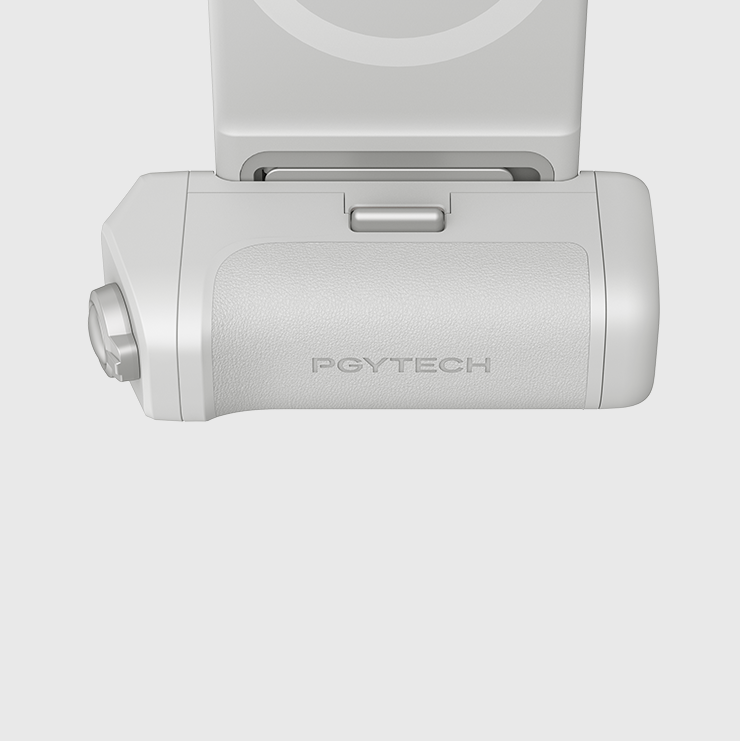
MagCam 2 Handygriff

🎁 Spend $99+ to get a Complimentary Phone Strap.
Added automatically at checkout.

$59.95

Versand An der Kasse berechnet.

Farbe
Menge
Description
Specs
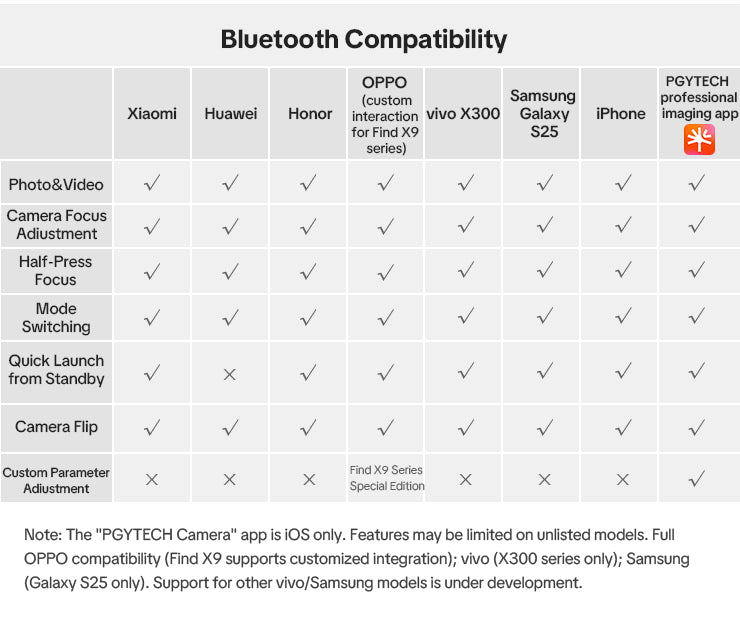
Compatibility
Recommended compatible devices: iPhone 17 series, Xiaomi series, Huawei P70, OPPO iOS compatible devices: iPhone 12–iPhone 17 full series HarmonyOS compatible devices: Huawei Mate series, P series (HarmonyOS supported) Android compatible devices: Xiaomi 16/15/14 series, Redmi K60/K70/K80, OPPO, etc. (Android 14 supported)
Dimensions
114.5×91.5× 36 mm(4.51×3.60×1.42 in)
Weight
157.5g/5.55oz
Material
ABS+PC, Aluminum Alloy, Zinc Alloy

MagCam 2 Handygriff

Misty Grey

$59.95

Six Reasons to Choose MagCam 2

Smart App Control
Seamlessly pairs with the PGYTECH App for effortless creation
Bluetooth Remote
Custom dial for quick pro-level parameter switching
Bluetooth Remote
Custom dial for quick pro-level parameter switching
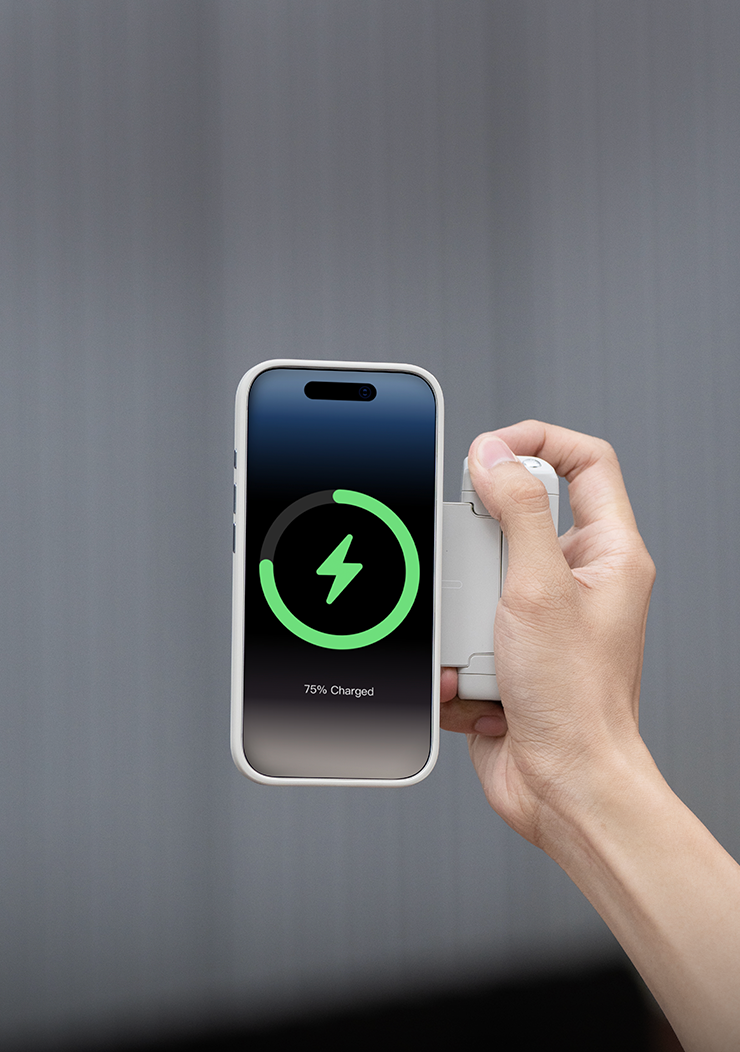
MagSafe Wireless Charging
Shoot while charging, never run out of power
Safe & Reliable
3C-certified battery with overcharge & overheating protection
Bluetooth Remote
Custom dial for quick pro-level parameter switching

Sync with the PGYTECH Pro Imaging App
for Effortless Creativity

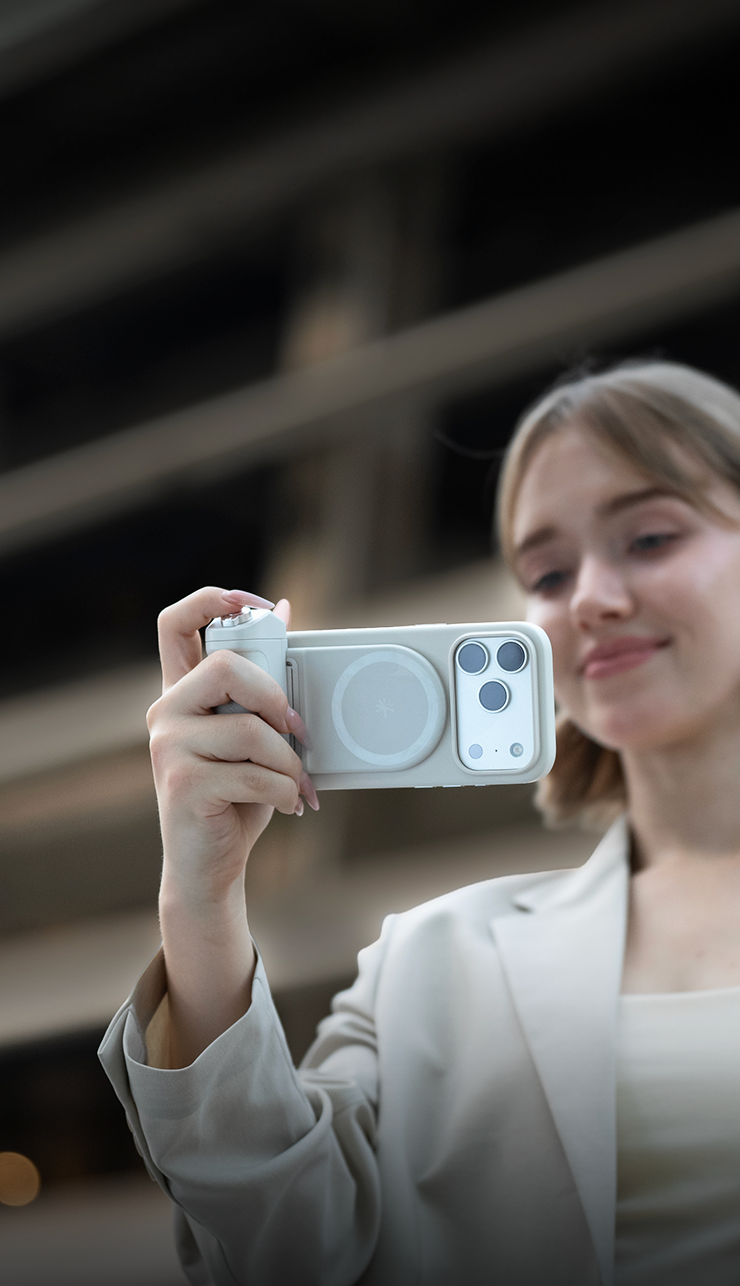
MagCam 2 redefines mobile photography interaction. Connect via Bluetooth to your iPhone
and unlock the full potential of the PGYTECH Pro Imaging App

Bluetooth Remote Control

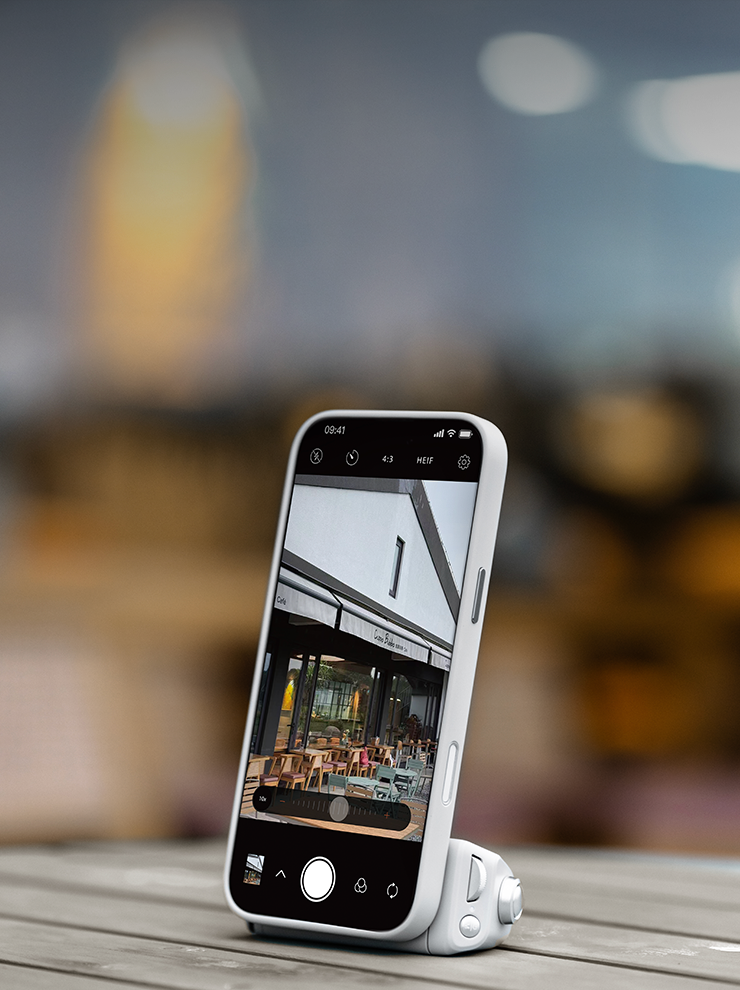
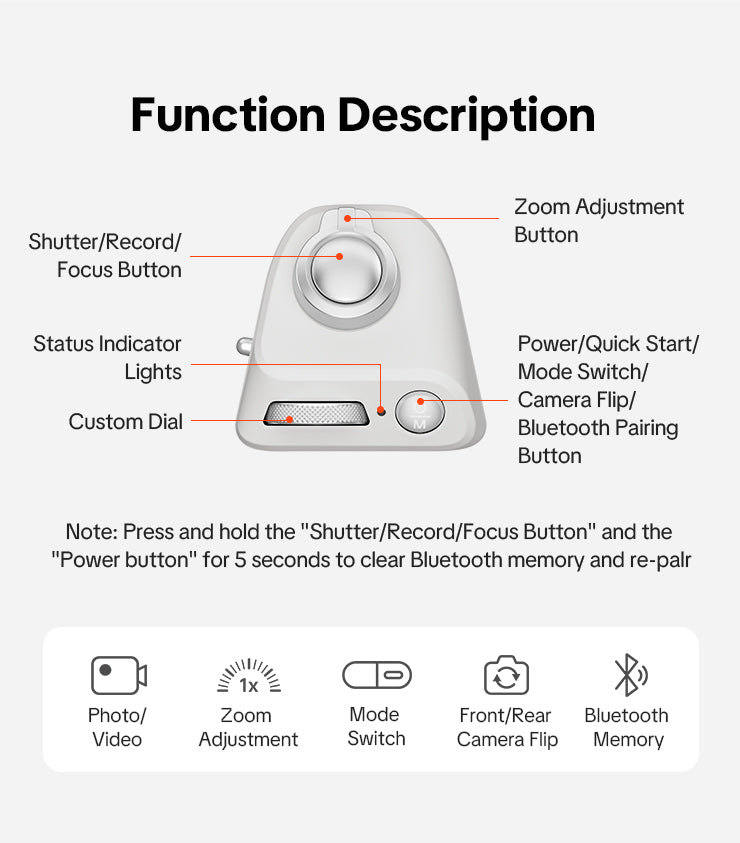
One-touch access to shutter video recording, lens switching, mode selection, and zoom

Newly Designed Custom Dial

No need to touch the screen. Adjust focus, exposure, ISO, and more with a fingertip for uninterrupted shooting rhythm

RetroCam Crafted for Cinematic Moments

A custom retro interface with authentic film filters offers a real-time preview. Capture moody shots instantly and skip the edits
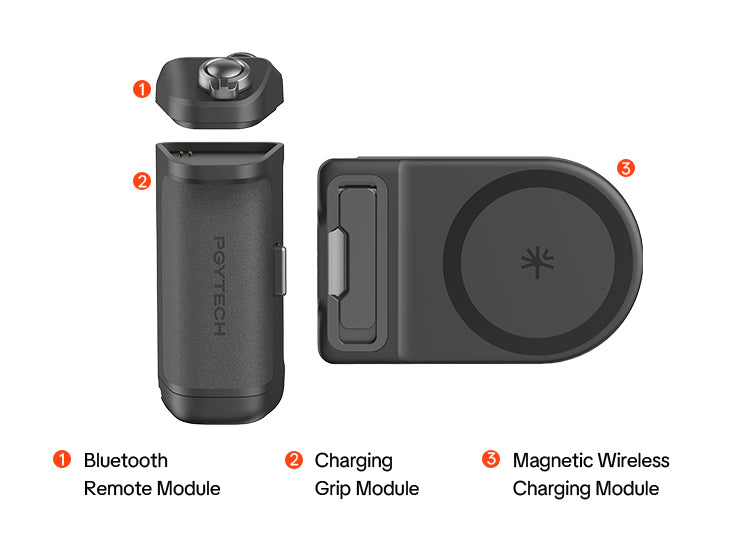
Bluetooth Remote Module
Becomes a Pocket Shutter

Control shutter, video, lens switch and framing remotely with one click
Perfect for group shots and travel selfies
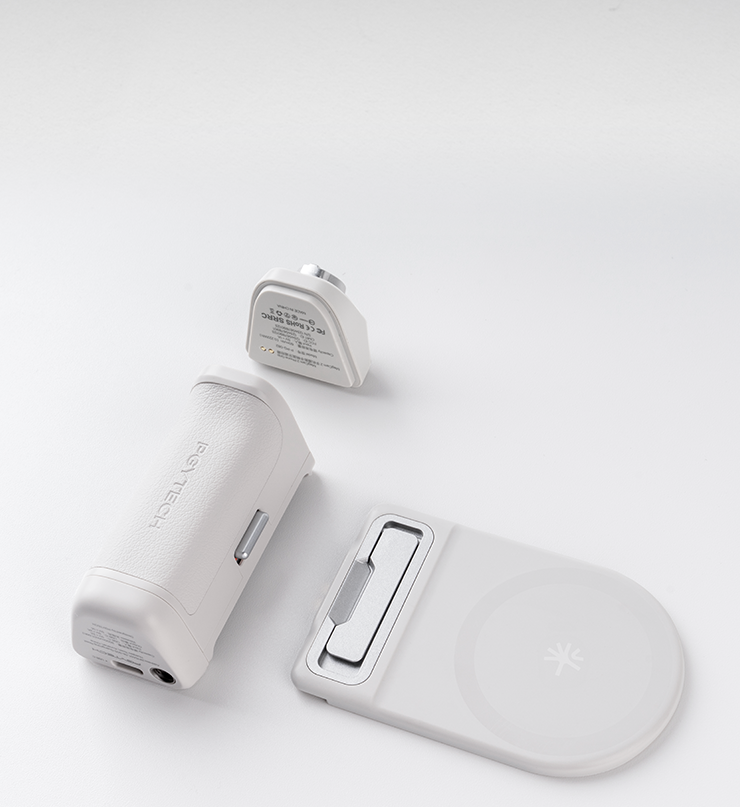
Wireless Charging Module
Becomes an EDC Stand

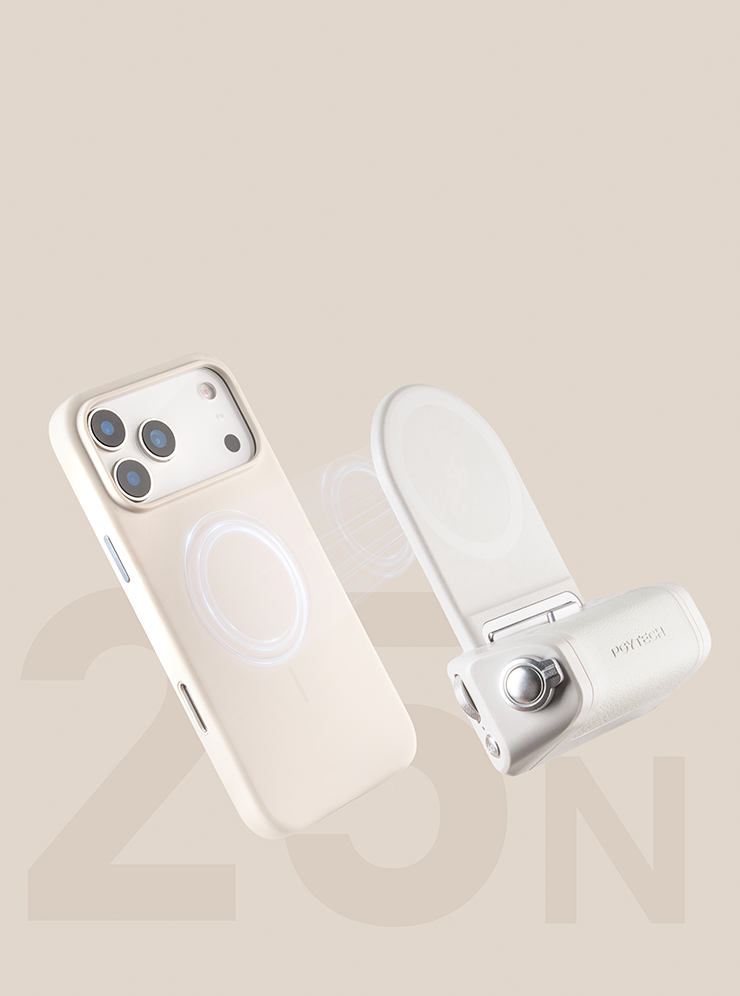
Quick-release design transforms into a magnetic EDC stand in seconds Carry it effortlessly, enjoy binge-watching anywhere
Grip Module Becomes a
Compact Power Bank

3000mAh capacity
in a sleek, pocket-size design

Install & Lock: Steady as You Go

The wireless charging and grip modules feature a snap-fit
quick-release design , enabling fast, secure switching between shooting and daily use
After quick release, the EDC
module stays on your phone for everyday use

Frame Your Way, Snap All Day

Switch from portrait to landscape with ease—whether it's a quick clip or a full-length video, you’re always ready to roll.

With dual-sided
magnet to attach an additional fill light

Note: Fill light is sold separately

Comes with A Magnetic Ring

With a magnetic ring it is also compatible with non-MagSafe phones like Android
Note: Best used with a MagSafe case (not recommended for use with bare phones)

Thoughtful Details for Secure and Flexible Use

The bottom features a lanyard hole for easy carrying
1/4" thread hole on
the bottom for tripod and accessory compatibility

Color Your Way and Choose Your Hue

MagCam 2 Phone Grip FAQ

What is the warranty period for this product?

The product is covered by a one-year warranty starting from the date of purchase.

What is the total weight of the grip?

The total weight of the handle is approximately 157.5g (5.6 oz). Minor measurement variations are normal.

What are the dimensions of the grip?

The approximate dimensions are 114.5×91.5×36 mm (4.5×3.6 ×1.4 in), subject to actual measurements.

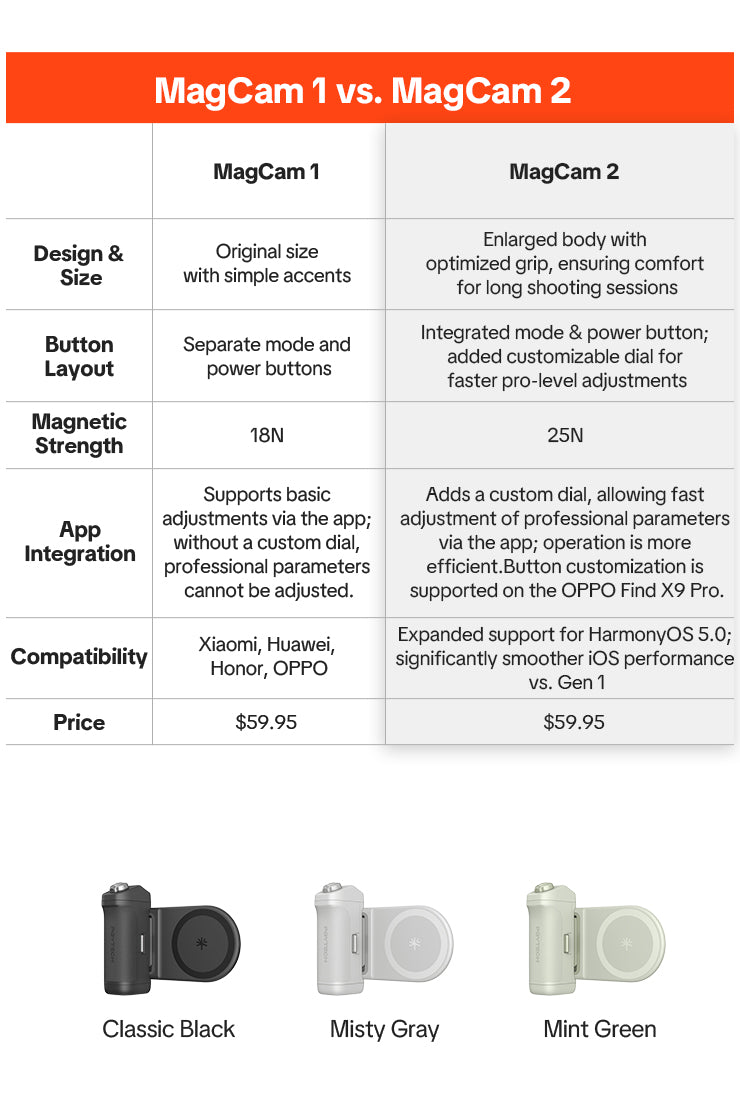
What are the key differences between the first and second generation of the MagCam?

The second generation introduces key upgrades:
① Larger body with improved ergonomics;
② Added customizable control dial;
③ Enhanced magnetic strength up to 25N;
④ Expanded compatibility (including vivo and HarmonyOS devices).

How do I charge the Bluetooth remote?

Attach the remote magnetically to the charging handle. Once the pins connect, press the power button to begin charging.

Does the MagCam 2 support integration with the PGYTECH Professional Imaging app?

Yes. It is currently compatible with iPhones via the dedicated MagCam 2 connection page.

Which phone models are compatible with the MagCam 2?

It is compatible with iPhone 12 and later models, as well as major Android brands including Xiaomi, Huawei, Honor, OPPO, and vivo.

How do I connect the handle to my phone via Bluetooth?

For Android phones: Press and hold the remote's power button for 1 second until the indicator flashes. Then select“PGYTECH-MagCam 2" in your phone's Bluetooth list. When using the PGYTECH Professional Imaging App or the iPhone's built-in camera, refer to the Quick Start Guide for setup and operation.

Does the second-generation product require firmware updates?

No firmware update is required. Future optimizations will be released via the app.

Does the grip support fast charging or standard charging for phones?

Wireless charging output: 5V/1A; Type-C port output: 5V/2A — both support standard (slow) charging mode.

Is it normal for the grip to heat up during charging?

Yes. Slight heat generation is normal and within safety standards.

What are the usage conditions for the magnetic ring?

The magnetic ring uses 3M adhesive. Wait 24 hours after application before use. It is not suitable for leather, furry, plush, fabric or textured cases.

Will the magnetic ring affect wireless charging?

No, as long as it is correctly aligned, wireless charging remains unaffected.

Are there any phone case requirements for wireless charging?

Yes. It is not compatible with phone cases that have metal components in the MagSafe area.

Is the product compatible with HarmonyOS 5.0 and later?

Yes, but the one-touch quick start function is not supported.

Is the one-touch quick start function compatible with all phone models?

No. It is not supported on HarmonyOS 5.0 or later devices.

Is the focus point fixed when using half-press focus?

The focus point is fixed at the center position when using the built-in camera app; it is adjustable when using the PGYTECH Professional Imaging app.

When used as an EDC stand, can the Magnetic Wireless Charging Module's built-in stand be positioned at any angle? Does it support portrait (vertical) and landscape (horizontal) orientation?

The built-in stand has a maximum adjustable angle of 58° in landscape mode. It also supports portrait shooting, but adjustable-angle positioning is not possible.

What are the output and input power ratings of the charging handle?

Wireless charging output power: 5W; Type-C output power: 10W; Input power: 10W.

What is the battery life of the remote?

Up to 10 hours of continuous use on a full charge.

How long does it take to fully charge the remote, and is there a charging indicator?

It takes around 30 minutes to fully charge. The indicator light turns off when charging is complete.

What is the battery capacity of the charging handle?

The handle’s battery capacity is 3000mAh.

What is the purpose of the glossy ring design on the magnetic stand?

It serves as a visual design element to enhance the overall aesthetic.

Does the focus adjustment function lag during use?

No, the adjustment is smooth and responsive. However, best performance can be achieved when paired with the PGYTECH Professional Imaging app.

Is a charging cable included?

No. Users need to use their own charging cable.

Has the product obtained 3C certification?

Yes, the product is 3C certified.

Where can I find the product's serial number (SN)?

Located inside the handle.

Can the Bluetooth remote be purchased separately if lost?

Yes, replacement units are available for separate purchase.

Specifications

  • Name

    MagCam 2 Handygriff

  • No.

    Klassisches Schwarz: P-PG-081

    Misty Grey: P-PG-082

    Mintgrün: P-PG-083

  • Material

    ABS+PC, Aluminiumlegierung, Zinklegierung

  • Net Weight

    157,5 g/5,55 Unzen

  • Size

    Verpackungsabmessungen: 130 x 127,5 x 40 mm

  • Compatibility

    Empfohlene kompatible Geräte: iPhone 17-Serie, Xiaomi-Serie, Huawei P70, OPPO


    iOS-kompatible Geräte: iPhone 12–iPhone 17-Vollserie


    HarmonyOS-kompatible Geräte: Huawei Mate-Serie, P-Serie (HarmonyOS unterstützt)


    Android-kompatible Geräte: Xiaomi 16/15/14-Serie, Redmi K60/K70/K80, OPPO usw. (Android 14 wird unterstützt)

  • You feel like you're taking pics with a professional camera.
  • Excellent build quality, function and a must have addition to your iPhone.
  • Great product. feels premium
  • 5 stars: 18 (82%)
  • 4 stars: 4 (18%)
  • 3 stars: 0 (0%)
  • 2 stars: 0 (0%)
  • 1 star: 0 (0%)
Z
Zoloft
If you have an Pixel phone, this is the grip for you, as long as you can use Key Mapper!

THIS IS A REALLY GREAT PIECE OF EQUIPMENT! If you have a Pixel phone, be warned, it requires configuring buttons via a third party app to get full use out of this. The caveat is, most other grips don't work with the native Google Camera App on Pixel phones anyways, so at least this one CAN work with some configuring and know how. I'm going to compare this against the slightly more expensive Telesin MasterGrip that I own, that recently stopped functioning properly with my Pixel due to firmware updates... it wasn't designed to work with the native Google Camera App anyways so it was a shock that it worked in the beginning... bummer that it doesn't now. ANYWAYS. Overall, very similar feature set to the MasterGrip with some small differences I'll cover in a list. Size: - The MagCam 2 grip is smaller than the MasterGrip in overall grip bulk. - The MagCam 2 grip weighs about the same. - The form factors are about the same. Buttons: - The MagCam 2 grip has 1 less button. - The MagCam 2 grip buttons DO register on apps like Key Mapper (what I use) and Button Mapper, so they can be used with any Android phone after some configuring. - The scroll wheel is a little too easy to turn, the MasterGrip scroll wheel locks into notches much more solidly. - Both the MagCam 2 and the MasterGrip shutter button have focus action, where the first "click" on the shutter button sets the focus, then a full press to the second "click" activates the shutter. Other features: - Both have the standard 1/4" screw hole for attaching to tripods/stands - Both can wirelessly charge your phone by clicking a separate battery button. MagCam 2 is 3Ah vs MasterGrip 3.2Ah, so pretty similar battery sizes. - MagCam 2 has a feature where you can separate the grip from the magsafe section, to use as a remote shutter - MagCam 2 has an additional feature where you can separate the button cluster from the grip and still use it as a remote shutter - Both have a Magsafe ring on both sides of the Magsafe plate ,so you can add lights or other attachments on the other side while using the grip. Other Considerations: - The MasterGrips Magsafe feels more secure than the MagCam, but not by much. May be a result of the rubber material the MasterGrip uses, where the MagCam 2 uses a soft plastic sheet. - The MagCam 2 grip size is a little too small for my hands. It's not quite as easy for me to grip as the MasterGrip. TO NOTE, this also means that the MagCam 2 grip is MUCH EASIER to fit in a pocket or leave on the phone if you're using the camera throughout an event. - I will still only use the MagCam 2 grip with my phone, because I can use all of the buttons (focus, shutter, zoom, scroll wheel, and mode) on my Pixel 10 Pro XL. I can't use anything but the shutter and focus on the MasterGrip... The buttons don't even register in apps like Key Mapper or Button Mapper. OVERALL: If you are looking for a feature packed camera grip for your android phone, this is it! It's great quality, I enjoy the ability to charge my phone while in use. Price wise, this is also ~$10-$15 cheaper than the MasterGrip. Included a couple pictures focused on the grip sizes with the MasterGrip next to the MagCam 2. The Magcam 2 is on the left.

R
Rieger E.
great products

Works well

A
Anonymous
Solid performance, quick connect (physical and bluetooth)

Solid performance, quick connect (physical and bluetooth). Ready to shoot in a second, max two. Better than Fjorden, which I have used for a year. Magnetic attachment not exactly as strong as I expected, but certainly good enough. I use the wrist strap on the telephone instead of on the grip, just in case.

R
Ralph P.
Elegant and affordable.

A very elegant and affordable solution. Well designed and solid construction. To get full befit you need to download the free app.

J
Jarosław W.

Grip i apka są rewelacyjne. Z telefonu robi sie aparat i tak sie robi zdjęcia, jak aparatem. Dobrze wydane pieniądze.

K
KeunDong K.
만족스럽다

최고

j
john m.
,Less questions

It works fine even with my Apple Watch on remote.

G
G.A. N.
Great function and Industrial Design

We all know about the cool design esthetics of Apple products and they are carried on in the PGYtech MagCam phone camera grip. Simple to set up and easy to use. The PGY Photo is excellent as well and after a short learning curve, is a pleasure to use. I just traded in an old Leica, upgraded my iPhone to a 17 model, and the PGYTech MagCam phone camera grip was a great addition to my “camera” stable of one. It allows the iPhone to feel like a true camera, yet stores easily and without drama. Excellent build quality, function and a “must have” addition to your iPhone.

A
Artur T.

MagCam 2 Phone Grip

V
Vernon
Very secure grip.

I really like it. I use it with a MagSafe case on a Samsung S25 FE. The grip attaches securely to the phone. That was my main concern. I'm sure the battery bank will be useful also.

V
Victor V.
Awesome

Good qualiy and looks so nice.
The magnet grip is strong, didnt evnt think about that is that good.
I had some emotions with the wireless chargin but I figured it out.
Love it!

J
JenFeng L.

Very convenient

J
John D.

Great product

J
Justify B.S.
Awesome

Great product. feels premium

B
Beata M.

MagCam 2 Phone Grip

k
klritcey
Great device with minor drawbacks

This iPhone camera grip is an excellent way to transform your phone into a camera. The only drawback is it will not zoom using the toggle at the top unless you use the PGY Tech app- which doesn't have portrait mode like the iPhone camera. You can still use the shutter but need to zoom/ focus with the touch screen. Helps my phone hold a charge during long sports events.

Z
Zsolt V.

MagCam 2 Phone Grip

F
Frederick F.
MagCam 2 Phone Grip

I really enjoyed ysing this grip. The shots were amazing🫶

S
S. K.
Nice device, needs better documentation

Once you have it setup, it works great. Using mine on an iphone 15 Pro. I'm pretty good with technology, and I thought that the setup was confusing, at best. The documentation is limited, at best. More like a parts schematic. I'll try to explain the setup: 1. Install the PGYTECH photo app from the apple store. 2. Put the parts together, double-press the button on the back to turn it on. The battery lights will come on. 3. Plug it into USB-C power to charge. When the lights stop blinking, it's done. 4. Connect to your phone with magnet mount. 5. Open the PGYTECH app and go through the setup. THIS IS WHERE YOU CONNECT IT WITH BLUETOOTH 6. Bluetooth pairing should be quick and easy. 7. You're done, take some time to learn the app. The default button/dial mapping is pretty straightforward, and you can re-map as you see fit. Registration of the app "pro" is free when you're connected to the device. It should show a price of $0.00. I hope that helps.

匿名

MagCam 2 Phone Grip

R
Rafael G.
Great piece of technology for my phone!

Easy to setup and use. You feel like you're taking pics with a professional camera. You hold your phone better while taking a photo mag using this gadget.

S
Sharon G.
Performs but pricey

Works Well.., but the item is pricey for what it is!